
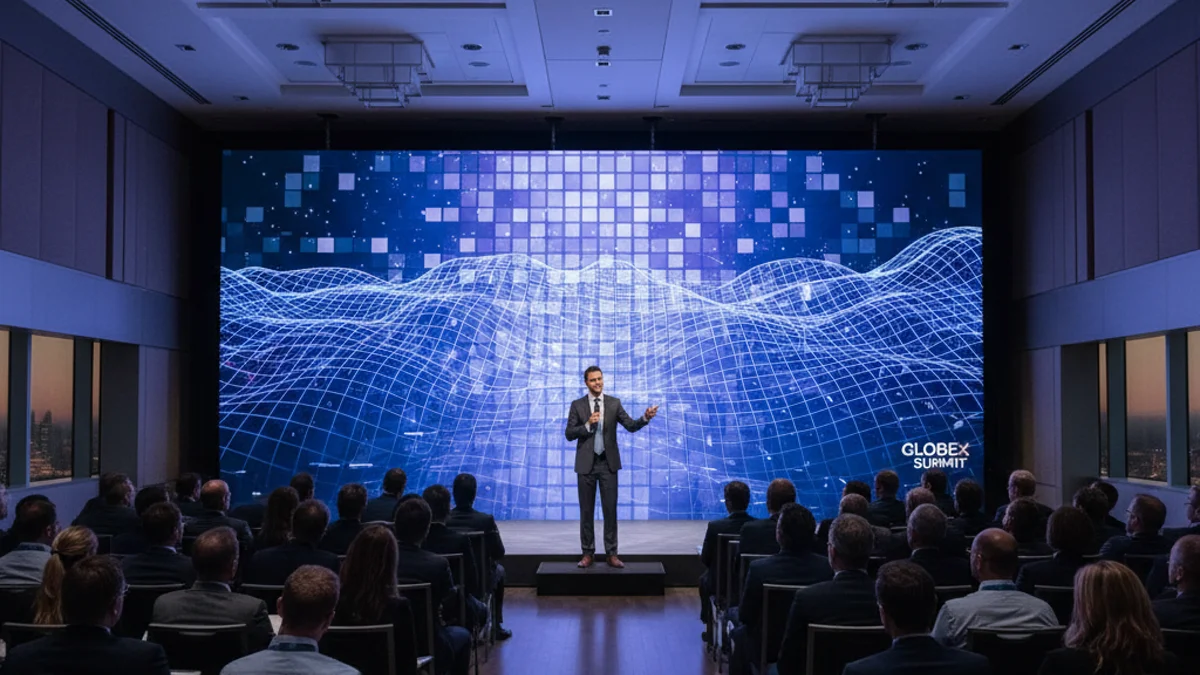
The pixel-pitch decision that makes or breaks a conference stage
Screen resolution is the wrong question to open with. If you are specifying a stage for a 400-delegate plenary in Paris, a product launch in Cannes, or a two-day summit in Lyon, nobody in the room cares whether the source file is 4K or 8K. They care whether the slide deck is legible from row 22, whether the speaker’s face holds together on a 12-metre backdrop, and whether the LED tiles throw a visible grid across the brand colours.
That outcome is governed by pixel pitch — the physical distance between the centres of two adjacent LEDs, measured in millimetres. It is not governed by the “K” number on the spec sheet. A P1.9 indoor LED wall and an 8K consumer display can deliver the same 3,840-pixel-wide image, but only one of them was built to be trucked into a venue, rigged, colour-calibrated and struck overnight. This guide treats resolution as one input among five — alongside the wider AV equipment choices for conferences and seminars — and shows you how to pick the pixel pitch that survives a real conference room.
What “8K” actually means once it becomes an LED wall
8K resolution is 7,680 × 4,320 pixels — roughly 33.2 million pixels (MP). An 8K LED wall is just a wall wide enough that the pixel count lands there. That could be 15 metres of P1.56 panels, or 7 metres of P0.9 panels. The resolution number is a consequence of pixel pitch times physical size, not an independent quality rating.

Here is how the familiar tiers stack up, and what each one is physically for on a conference stage.
| Tier | Pixel dimensions | Total pixels | Typical stage role |
|---|---|---|---|
| Full HD (1080p) | 1920 × 1080 | ~2.1 MP | Breakout-room side screens, confidence monitors, wayfinding signage |
| 4K UHD | 3840 × 2160 | ~8.3 MP | Standard plenary backdrop, IMAG (live camera) returns, hybrid broadcast feed |
| 8K | 7680 × 4320 | ~33.2 MP | Very large backdrops with close viewing, detailed data/CAD visuals, immersive wraparound stages |
The jump from Full HD to 4K quadruples the pixel count. The jump from 4K to 8K quadruples it again. On a laptop that sounds decisive. On a stage it only matters if the wall is large enough and the audience close enough for the eye to resolve the extra pixels — which brings us to the two variables that actually decide the spec.
The two numbers that decide everything: pitch and viewing distance
Human vision resolves a limited amount of detail at a given distance. The industry shorthand is that the minimum comfortable viewing distance, in metres, is roughly equal to the pixel pitch in millimetres. A P2.6 wall looks clean from about 2.6 m; a P1.9 wall from about 1.9 m. Move further back and the difference between pitches collapses.
This is why a single P2.6 LED wall behind a main stage in a large ballroom is usually the right answer, even though P0.9 exists. If the front row sits 6 m from the screen, both pitches look identical to every attendee. The audience is paying for perceived clarity, and perceived clarity is capped by distance, not by the highest number on the invoice.
Where high-resolution walls earn their premium on a conference stage:
- Front-of-stage backdrops in shallow venues where the first rows are close to a very wide screen.
- Fine-detail content — surgical footage, CAD models, dense data dashboards, intricate product renders — where legibility is functional, not decorative.
- Experiential and VIP zones where small groups stand within a metre or two of a wall and the tiles must disappear.
- Wraparound and L-shaped stages where the picture bends around the set and any visible tiling breaks the illusion.
Where it does not: a keynote slide deck viewed from the middle of a 600-seat room, a talking-head livestream, or sponsor logo loops. Here a well-driven 4K wall is not a compromise. It is the correct engineering choice.
Content and signal chain: the link most planners forget
An LED wall can only show the detail it is fed, and only if the chain carries it. Four things must line up before pixel pitch even matters:

- Native content. Native 8K production is scarce and expensive. Most conference material is mastered at 4K or HD. Upgrading a wall does not invent detail that was never captured.
- Playback. Smooth high-frame-rate 8K playback needs dedicated media servers, not a presenter’s laptop. A wall fed a stuttering signal looks worse than a smaller wall fed a clean one.
- Cabling and distance. Long runs at high bandwidth need the right copper or fibre, or you get dropouts, flicker, and colour shifts on a screen the client is staring at.
- Processing and calibration. Colour uniformity, brightness matching across cabinets, and consistent edge-blending are done by the processor and the tech, not by the panel spec sheet.
For a conference, the honest conversation is usually about matching the wall to the content you already have — then spending the difference on brightness headroom, black-level consistency, and enough processing to keep the image stable under venue lighting.
Step-by-step: specifying an LED wall for a conference stage
- Set the content expectation first. Collect the actual slide decks, video files, and live-camera feeds before anyone quotes hardware. The weakest source in the list sets the ceiling.
- Measure the room. Note the distance from the proposed wall to the first row, the last row, and the stage edges. This single measurement kills 80% of over- and under-spec.
- Pick pixel pitch from the closest viewer, not the farthest. Front row at 4 m points you to P3.9–P4.8 for a large backdrop; a VIP demo station at 1.5 m points you to P1.5–P1.9.
- Confirm brightness against venue lighting. A dark auditorium and a daylit atrium need different nits. Specify for the worst lighting condition in the run of show, not the best.
- Size the wall to the aspect ratio of your content — typically 16:9 for camera and slides, with intentional dead zones if you need a 21:9 cinematic strip.
- Reconcile the signal chain. Verify playback devices, cable runs, and processing capacity support the resolution and frame rate you have chosen.
- Plan rigging and power early. Weight loading, rigging points, and clean power are venue-specific and are the usual source of last-minute cost.
- Book a calibration window. Build in time after load-in to calibrate colour and brightness before the first rehearsal, not during it.
- Run a content test on site. Play the real decks, the real video, and the live camera feed at the real brightness. Fix it before the doors open.
Working backwards from the audience’s seat — rather than forwards from a resolution label — is what keeps a conference stage on budget and on brand. For a full breakdown of wall options by venue and use case, see our LED screen rental for conferences and events page, and for end-to-end delivery of the room itself, conference event management in Paris. If you are staging in the capital specifically, start with LED screen rental in Paris.
Frequently asked questions
Do I need an 8K LED wall for a conference?
Usually not. 8K walls make sense when the wall is very large, the front rows are close, and the content carries genuine fine detail. For standard presentations viewed from a normal seating distance, a well-driven 4K wall is the more practical and cost-effective choice.
What pixel pitch should I choose for a conference backdrop?
Base it on the closest viewer. As a rule of thumb, minimum comfortable viewing distance in metres is roughly the pixel pitch in millimetres. If the nearest seat is 5 m away, a P4.8 wall is indistinguishable from a P1.9 wall for that audience.
Can you play 4K content on an 8K wall?
Yes, and good processing can make it look sharp. But upscaling cannot recreate detail that was never captured. Poorly compressed or standard-definition source material will look worse on a high-resolution wall, not better.
Is the difference between 4K and 8K visible to the audience?
Only under specific conditions: a very large screen, relatively close viewing, native high-detail content, and good eyesight. At typical conference viewing distances in a large room, most attendees will not perceive a difference.
What else should I spend on instead of resolution?
Brightness headroom, colour calibration, stable playback, clean rigging, and quality audio. On a conference stage, audio comprehension and image stability affect the audience far more than an extra resolution tier.
Get the wall that fits the room, not the label
The right spec for a conference stage in Paris, Lyon, Marseille, Nice or Cannes starts with the room and the content, not with a resolution badge. Tell us the venue, the seating plan, and the material you plan to show, and we will recommend a pixel pitch and brightness that holds up from the front row to the back — and nothing you don’t need. For the wider production layer that wraps around the screen — power, rigging and crew — read our guide to running a convention’s AV production.

2 Comments